Short answer: the best website builder in Pakistan depends on what you sell. For a simple business site you will edit yourself, Wix or Hostinger Website Builder is quickest. For an online store, Shopify is the easiest builder that handles cash on delivery and local payment gateways. If you want a site you fully own, with no monthly platform fee in dollars, WordPress built by a developer is usually cheaper over two or three years.
We are a web design company, so we have an interest here. We also tell plenty of people that a builder is enough for them. This guide compares six real options with screenshots, the costs Pakistani businesses actually pay, and when it makes sense to pay for a website built for you instead.
Chapter 01
What a Website Builder in Pakistan Can and Can’t Do
A website builder is an online tool where you pick a template, drag in text and images, and publish, with hosting included. You pay a monthly or yearly fee and never touch code. It’s the same tool whether you’re in Karachi or California; what changes in Pakistan is how you pay for it and how your customers pay you.
| Builders are good at | Builders struggle with |
|---|---|
| Getting a simple site live in a day | Custom features (booking rules, portals, calculators) |
| Editing text and photos yourself | Moving your site elsewhere later; you rent it |
| Hosting, security and updates handled for you | Fees in US dollars that rise with the exchange rate |
| Templates that look good on phones | Local payments, unless the builder supports a Pakistani gateway |
Keep the “rent, not own” point in mind. On most builders you can’t download your site and host it somewhere else. If you stop paying, the site goes offline.
Chapter 02
The 6 Options Compared
These are the options we see Pakistani businesses choose most often. Prices change often and depend on your plan, so check each provider’s page before you pay.
| Option | Best for | You pay | Cash on delivery / local gateway |
|---|---|---|---|
| 1. Wix | Service businesses, portfolios, small shops | Monthly or yearly plan in USD | Manual/offline payment options; check gateways |
| 2. Hostinger Website Builder | Low-cost business sites with AI help | Plan bundled with hosting | Check the payment options for your account |
| 3. GoDaddy Website Builder | Very simple one-page sites | Monthly or yearly plan | Limited for Pakistani stores |
| 4. Shopify | Online stores of any size | From US$22/month (Basic, yearly) | COD built in; PayFast, Safepay and others |
| 5. WordPress + WooCommerce | Sites you own outright, blogs, custom stores | Hosting + domain yearly; build cost once | COD built in; most Pakistani gateways |
| 6. Hire a developer or agency | Brands that want a custom design and features | One-off build fee + hosting | Whatever you need, set up for you |
1. Wix
Wix is the best-known website builder in Pakistan and the one most people try first. The Wix website builder lets you drag any element anywhere on the page, and it has templates for almost every type of business. There is a free plan, but it shows Wix branding and a wixsite.com address, so it isn’t suitable for a real business.
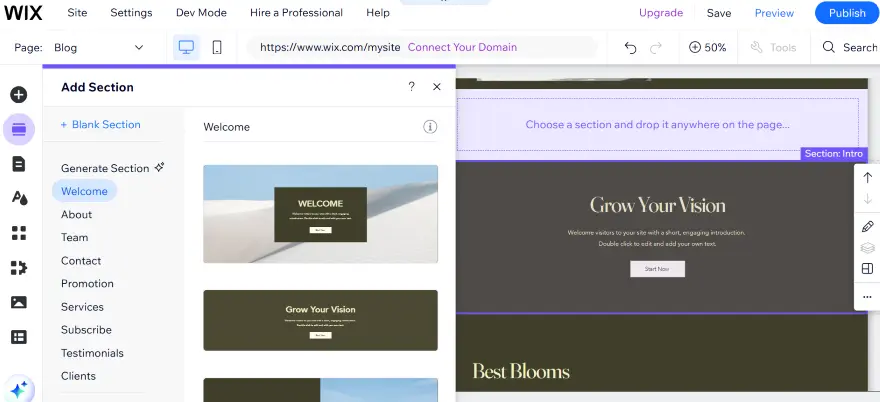
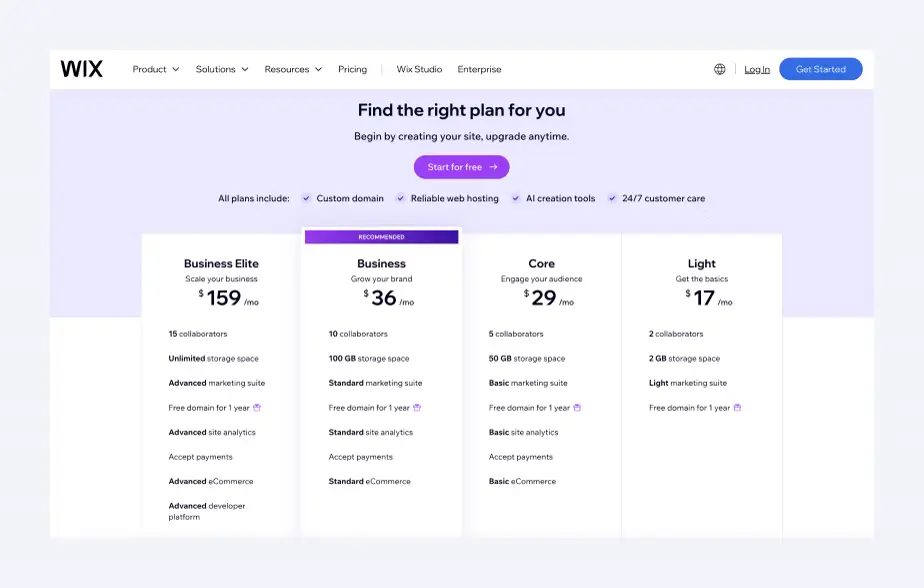
Paid plans remove the branding, connect your own domain and add online selling. Compare them on Wix’s plans page. The screenshot below shows how Wix lays out its plans; the prices in it change, so check the live page.
2. Hostinger Website Builder
Hostinger is a popular host in Pakistan, and its Hostinger Website Builder comes bundled with hosting. It has AI tools that draft pages and text for you and a simple drag-and-drop editor. When you add a site, Hostinger even asks you to choose between WordPress and its own builder, which is the same choice this guide is about.
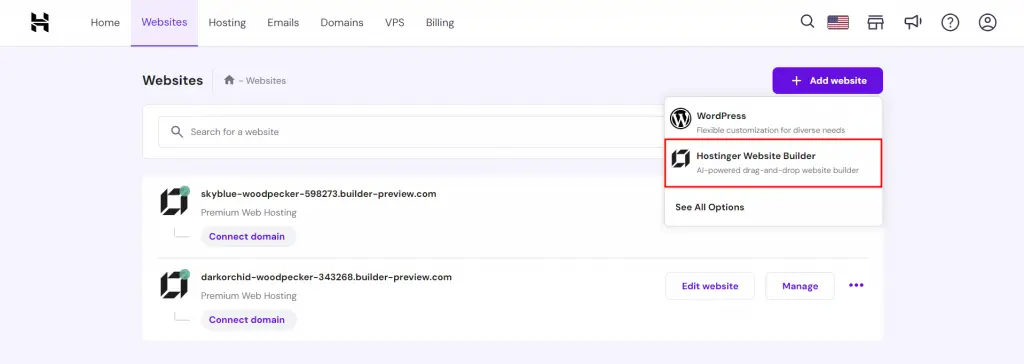
Because hosting, the builder and often a domain come in one package, the first bill is low and there is only one account to manage. Check the renewal price as well as the first-term price; introductory offers on hosting plans usually renew higher.
It suits a small business site on a tight budget. For a serious online store, its ecommerce features are more basic than Shopify’s or WooCommerce’s.
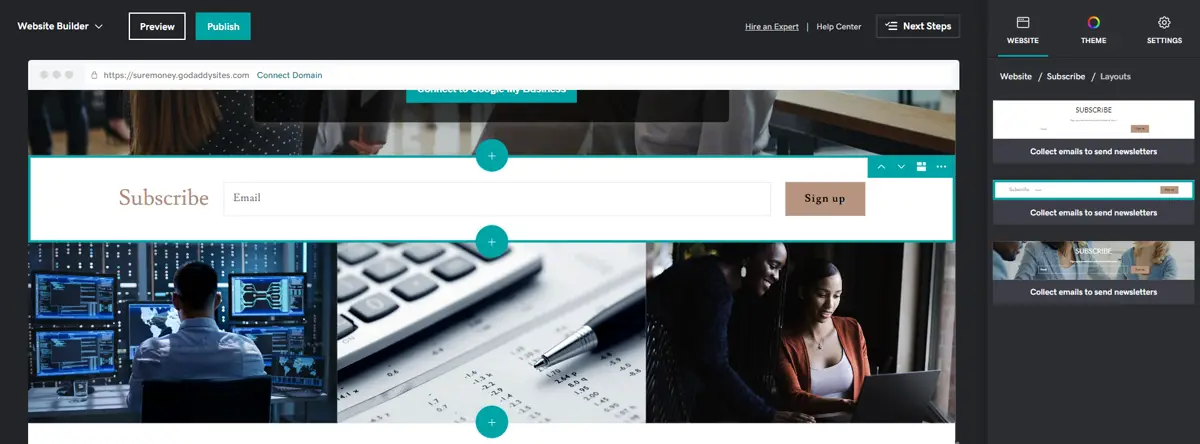
3. GoDaddy Website Builder
GoDaddy’s builder is very simple: you add sections from a list, not by dragging freely. That makes it hard to break, but also hard to make your site look different from everyone else’s. It is fine for a one-page site with your services, phone number and location.
4. Shopify
Shopify is a website builder made for selling. For an online store in Pakistan it’s the strongest builder: cash on delivery is built in, Pakistani gateways such as PayFast and Safepay have Shopify apps, and couriers like Leopards and PostEx connect to your orders. Plans start at US$22 a month (Basic, billed yearly) on Shopify’s Pakistan pricing page.
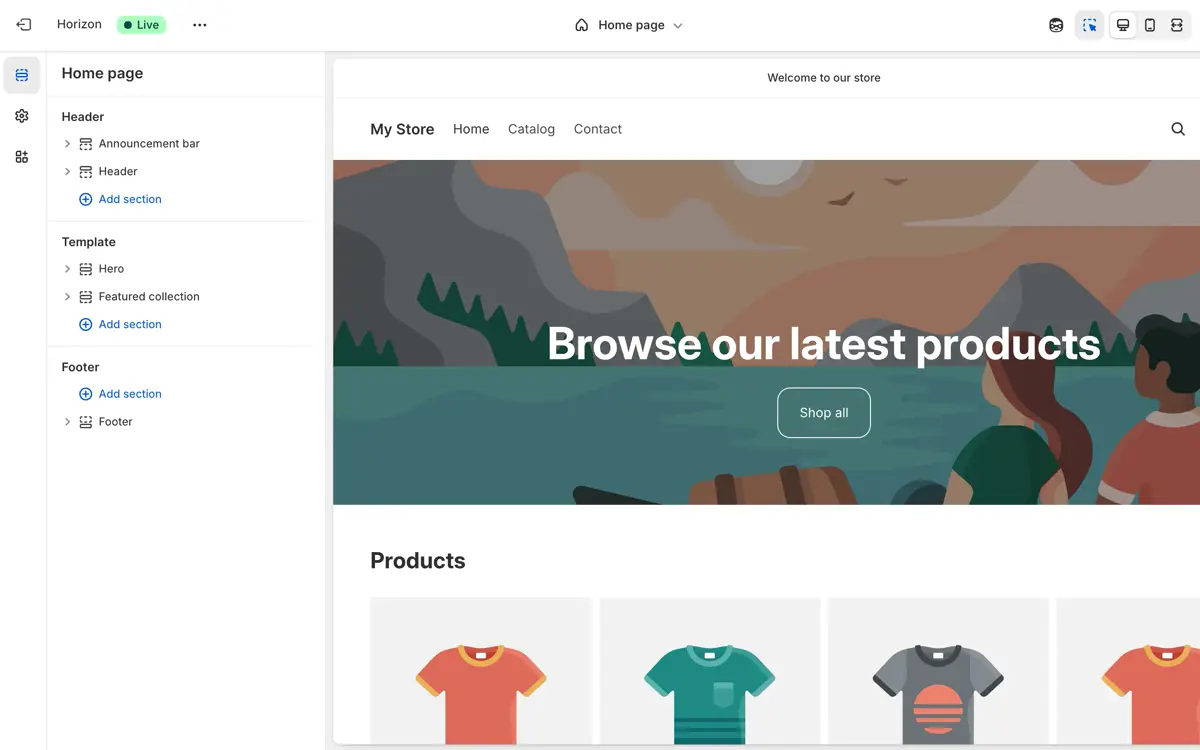
Our step-by-step guide shows how to create a Shopify store in Pakistan from sign-up to launch, with a screenshot for every step.
5. WordPress and WooCommerce
WordPress isn’t a hosted builder. It’s free, open-source software you install on your own hosting, and with a page builder and a good theme it edits much like one. WooCommerce turns it into a full online store. You own the site and every file, there is no monthly platform fee in dollars, and almost anything can be added with plugins or custom code.
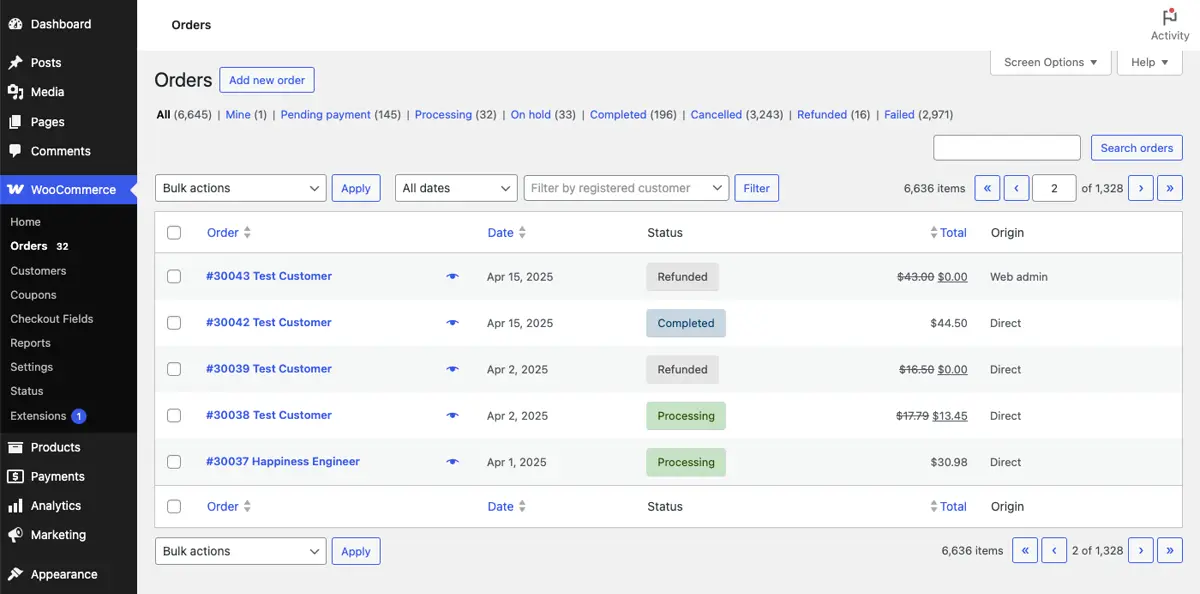
The trade-off is setup. You need hosting, a domain, a theme, security and updates, which is why most businesses have WordPress sites built for them. This is what our WordPress development services team does every day.
6. Hire a Developer or Agency
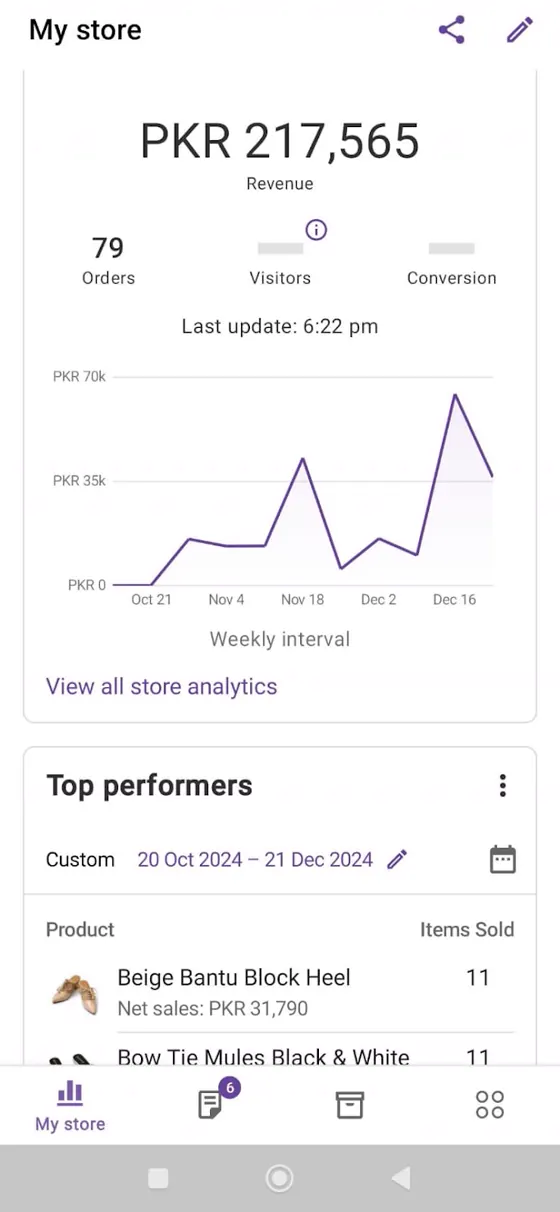
Hiring a team costs more upfront, but you get a design made for your brand, features a template can’t give you, and someone who sets up payments, couriers, speed and SEO properly. You then pay only for hosting and the domain each year, not a builder subscription.
Chapter 03
AI Website Builders: Are They Worth It?
Most builders now have an AI website builder. You describe your business in a sentence, and it generates pages, text and images in a minute. Wix, Hostinger and Shopify all offer this.
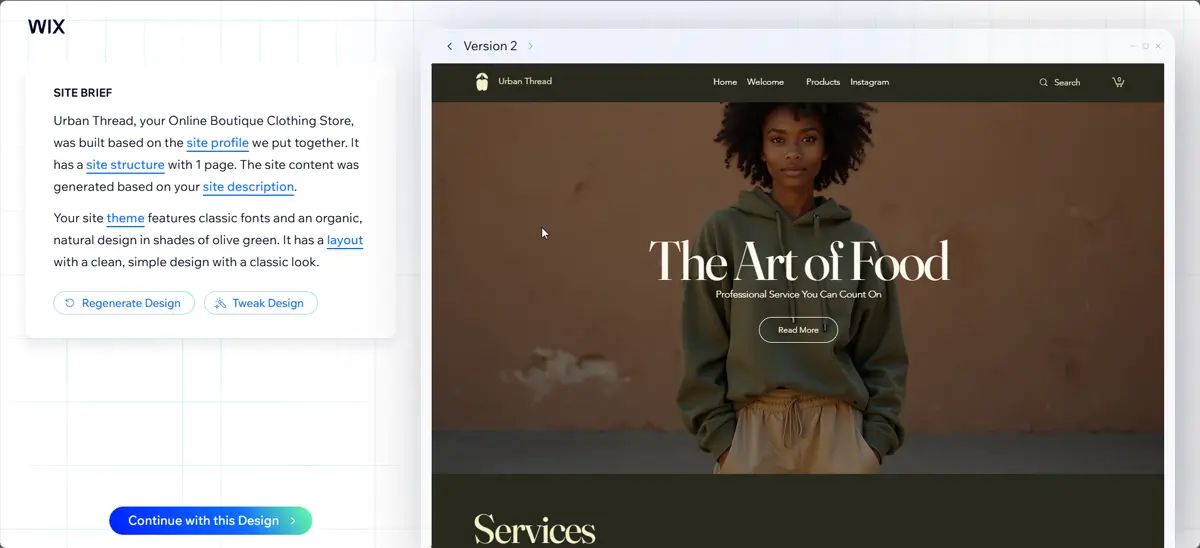
Our view after testing them: AI builders are a fast first draft, not a finished website. Look at the example above. The headline says “The Art of Food” on a clothing store, the photo is generic, and the text could belong to any business. You still need real photos, your own prices, contact details and copy that answers your customers’ questions. Use AI to save the first hour, then rewrite everything that matters.
Chapter 04
Is a Website Builder in Pakistan Cheaper than Hiring a Developer?
In the first year, usually yes. Over three years, often no. A builder charges every month in US dollars, forever, and the rupee price rises whenever the dollar does. A website built for you is a one-off cost; after that you pay yearly hosting and domain fees in rupees.
| Website builder | Built by a developer | |
|---|---|---|
| Upfront cost | Low: the first month or year of a plan | One-off build fee |
| Ongoing cost | Monthly plan in USD, plus apps | Yearly hosting and domain |
| Who owns the site | You rent it from the builder | You own it, files and all |
| Design | A template, like many other sites | Made for your brand |
| Your time | You build and maintain it | Done for you; you edit content |
For reference, our prices are PKR 35,000–95,000 for a business or WordPress website and PKR 40,000–140,000 for a WooCommerce or Shopify store, while custom portals are quoted on your requirements. You pay nothing in advance; you pay once the website is finished and you’re happy with it.
Chapter 05
Check These Before You Choose Any Builder
- How you pay the builder. Most bill in US dollars to a card that allows international payments. Enable online and international transactions in your banking app first.
- How your customers pay you. Stripe and PayPal don’t accept Pakistan-based businesses, and many builders rely on them. Check that the builder supports cash on delivery or a Pakistani gateway. Our payment gateway in Pakistan guide lists the options.
- Your own domain. Make sure your plan allows a custom domain (.com or .pk) and that you register it in your own name.
- Speed on mobile data. Open a few template demos on your phone over mobile data, not office Wi-Fi.
- Urdu. If you need Urdu pages, check right-to-left support and an Urdu font in the editor before you commit.
- Leaving later. Ask what you can export if you outgrow the builder. Usually it’s your content and product list, not the design.
Chapter 06
Which One Should You Choose?
| Your situation | Our recommendation |
|---|---|
| Freelancer or consultant who needs a simple online presence | Wix or Hostinger Website Builder |
| Clinic, school or service business that wants leads | WordPress, built for you, with forms and WhatsApp |
| Clothing, shoes or beauty brand selling online | Shopify |
| Store with complex products, B2B prices or custom rules | WordPress + WooCommerce |
| Booking system, portal or custom tool | A developer; no builder will fit |
Five Questions to Answer Before You Pay
- Who will update the site? If it’s you, every week, pick the editor you find easiest after a 30-minute test, not the one with the most features.
- Will you sell online in the next year? If yes, start on a platform built for selling (Shopify or WooCommerce). Moving a store later costs more than starting right.
- Do you need to rank on Google? Every builder lets you edit titles and descriptions, but ranking in a competitive market also needs speed, content and links. Budget for that, whichever platform you choose.
- What will it cost in year three? Multiply the monthly plan by 36, add apps, and convert at today’s dollar rate. Compare that with a one-off build plus three years of hosting.
- Who owns the domain? Register it in your own name and email, never in a freelancer’s or the builder’s account.
Write the answers down before you sign up anywhere. They usually make the choice obvious, and they give any developer you talk to a clear brief, which is how you get an accurate quote.
If you’re still unsure, list the three things your website must do on day one. Pick the cheapest option that does all three well, and avoid paying for features you may need “one day”.
Chapter 07
When We Tell Clients to Use a Builder (and When We Don’t)
We regularly tell people a builder is enough: a freelancer with five pages, an event that needs a site for two months, a new brand testing an idea before investing. You don’t need us for that.
We recommend a built site when the website is how the business makes money: an online store doing real volume, a company that needs to rank on Google in a competitive market, or anything with custom features. That’s where speed, SEO, payments and ownership make the difference, and where our web design team in Karachi earns its fee. Browse Shopify stores in Pakistan we have built to see the difference.
FAQ
FAQ
Which is the best website builder in Pakistan?
For a simple business site you edit yourself, Wix or Hostinger Website Builder. For an online store, Shopify, because it supports cash on delivery and Pakistani payment gateways. For a site you fully own with no monthly platform fee, WordPress.
Is there a free website builder in Pakistan?
Wix and some others have free plans, but they show the builder’s branding and use its address instead of your own domain. They are fine for testing, not for a business. WordPress software is free, but you still pay for hosting and a domain.
Can I accept cash on delivery on a website builder?
On Shopify, yes: add Cash on Delivery as a manual payment method. WooCommerce has COD built in. On other builders, check the payment settings before you commit.
Is it cheaper to use a website builder or hire a developer in Pakistan?
A builder is cheaper in the first year. Over two or three years a built website is often cheaper, because builders charge a monthly fee in US dollars while a built site only needs yearly hosting and a domain. Website Services Pakistan builds business and WordPress sites for PKR 35,000–95,000.
Are AI website builders good enough?
They produce a quick first draft, but the text and images are generic. You still need your own photos, prices and copy written for your customers.
Can I move my site from a builder to WordPress later?
Usually you can move your content and products, but not the design. Plan for a rebuild of the design when you switch platforms.